Designing pioneer AI experience for Nissan website
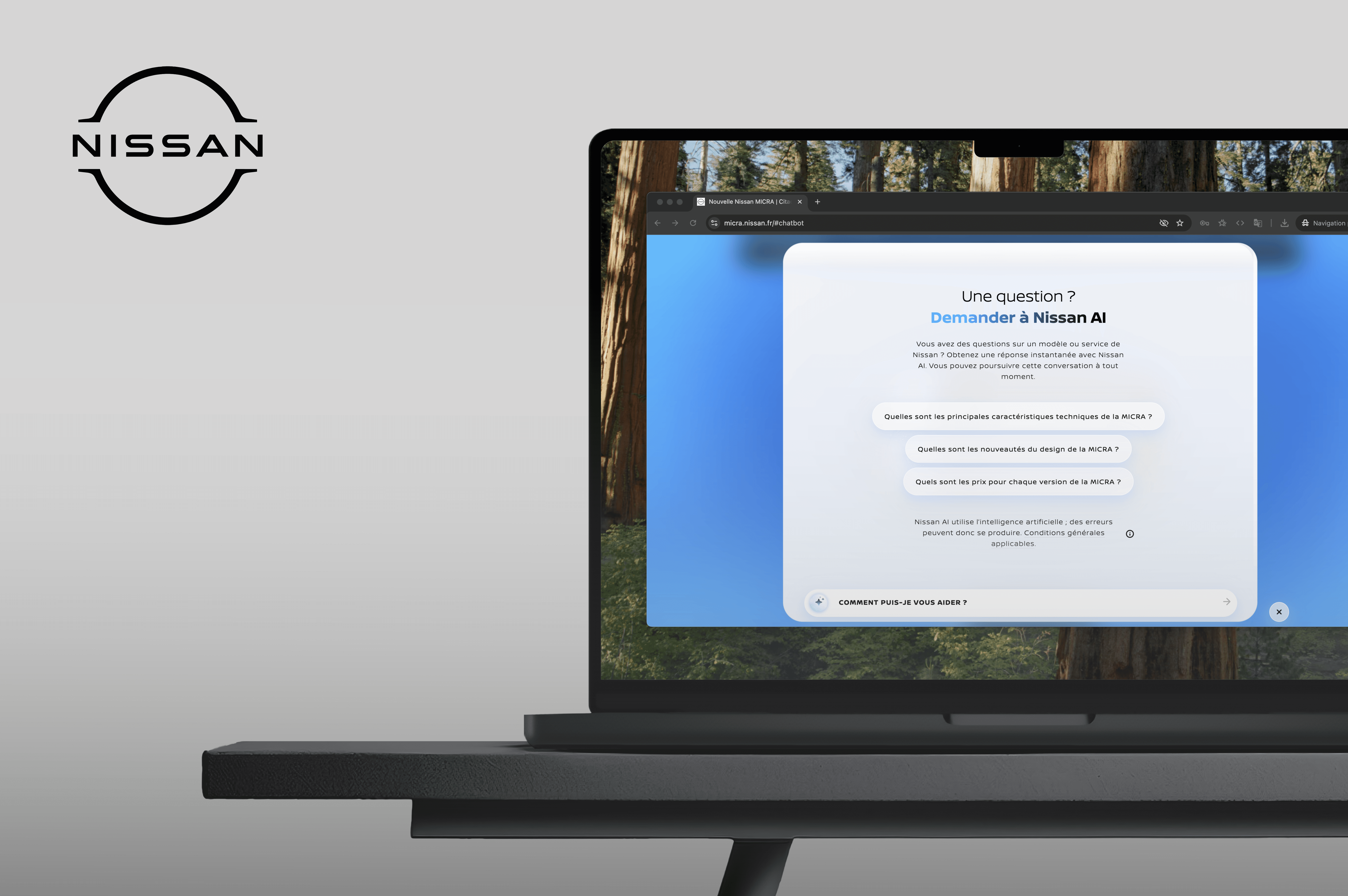
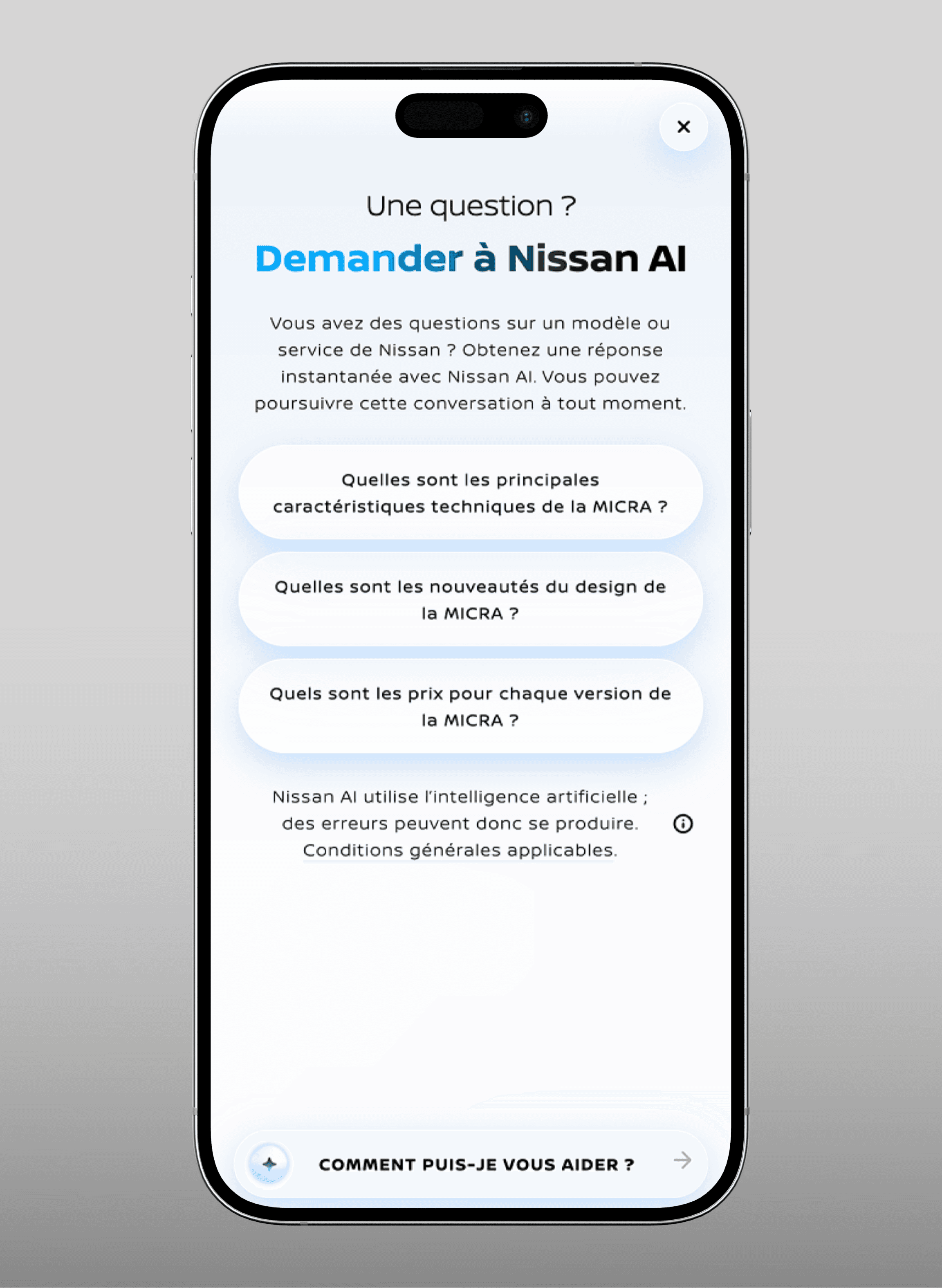
Designing pioneer AI experience for Nissan website
Helping car buyers get instant answers without leaving the vehicle landing page
Nissan wanted to position themselves as a tech-forward brand in a competitive automotive market. The challenge : car buyers had questions throughout their journey on the Vehicle Landing page, But had to either dig through the VLP to get a really specific answer, or had to contact their nearest dealership. Or in worst case scenario, give up their discovery journey on Nissan car
We designed an AI-powered chatbot embedded directly into Nissan's vehicle landing pages - available 24/7, answering everything from battery range to financing options in real-time.
The feature has been launched on the new MICRA VLP, serving [Nb user ] on EMEA markets and [clients gain in %]
[Industry]
Automotive
[My Role]
UX Designer
[Team]
2 UX Designer
2 UI Designer
[Platforms]
Web (Desktop & Mobile)
[Timeline]
February 2025- September 2025
Problem Statement
Nissan's vehicle landing pages were information-heavy but passive. Visitors had to:
Hunt for specs across multiple sections and PDFs
Wait for dealership hours to get personalized answers
Leave the page to use chat support, breaking their flow
This created friction at a critical moment: when buyers were evaluating whether this car was right for them.
The challenge: Make vehicle information instantly accessible, without overwhelming the page or requiring users to leave their browsing flow.
This created friction at a critical moment: when buyers were evaluating whether this car was right for them.
The challenge: Make vehicle information instantly accessible, without overwhelming the page or requiring users to leave their browsing flow.
Technical Benchmark
The project kicked off with a clear brief from NISSAN: stand out from competitors by offering cutting-edge digital experiences. An AI assistant felt like a natural fit — but we needed to prove it was more than a gimmick.
We started by benchmarking the competitors' chatbots and AI assistants. We also looked at other industries chatbot & solution providers. Most were either :
Too generic (Standard chatbot UIs that didn't fit the brand)
Too hidden (Buried in help sections)
Too wordy (too many text)
Too intrusive (Pop-ups, bell and notifications icons, feels like some scammy websites)
Too limited (FAQ-style, only text, flow-bot, not truly conversational)
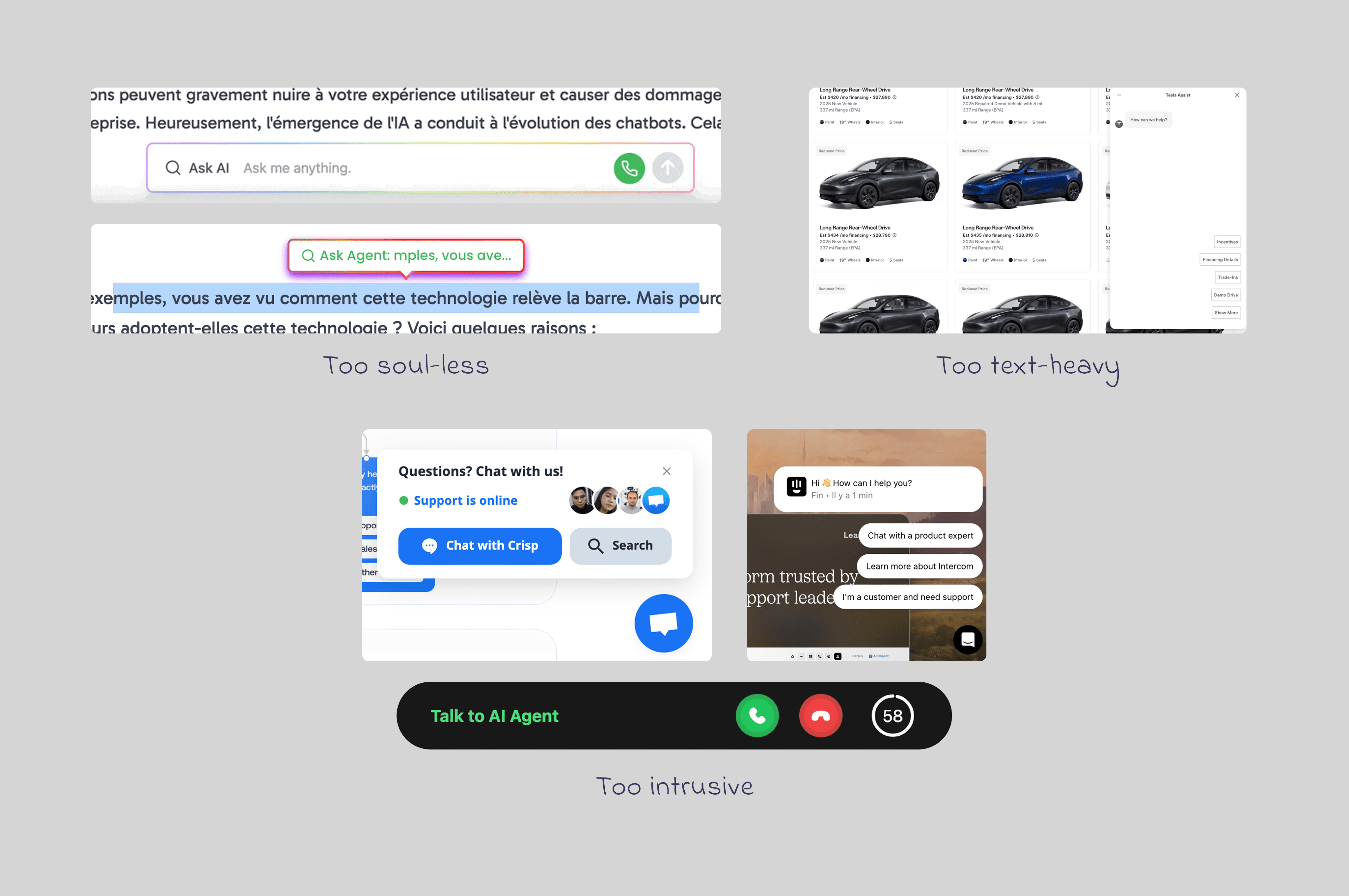
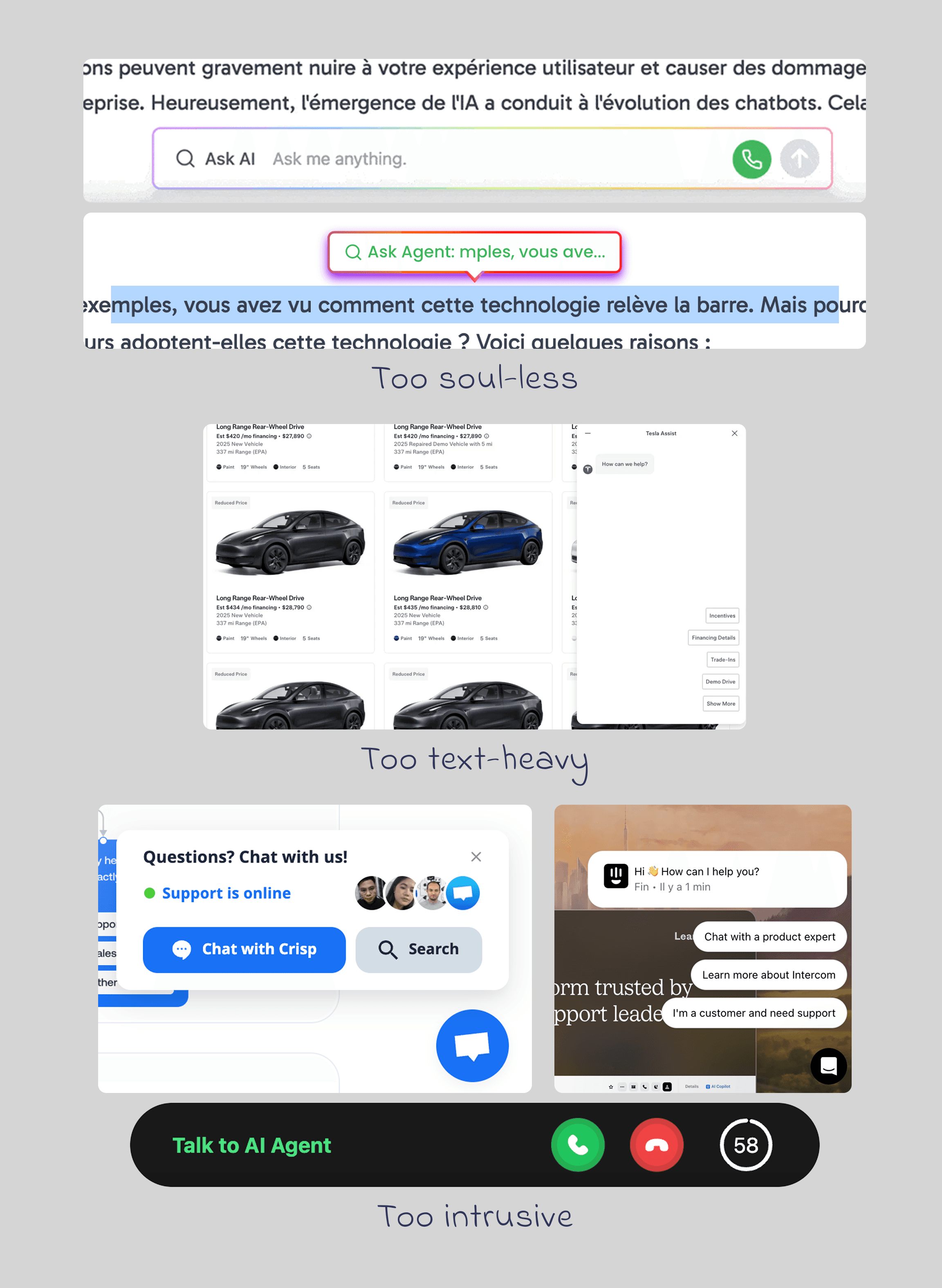
Our hypothesis: An AI assistant that's contextual, visible but not intrusive, and truly helpful could differentiate Nissan whilse solving real user needs.
Visual Benchmark
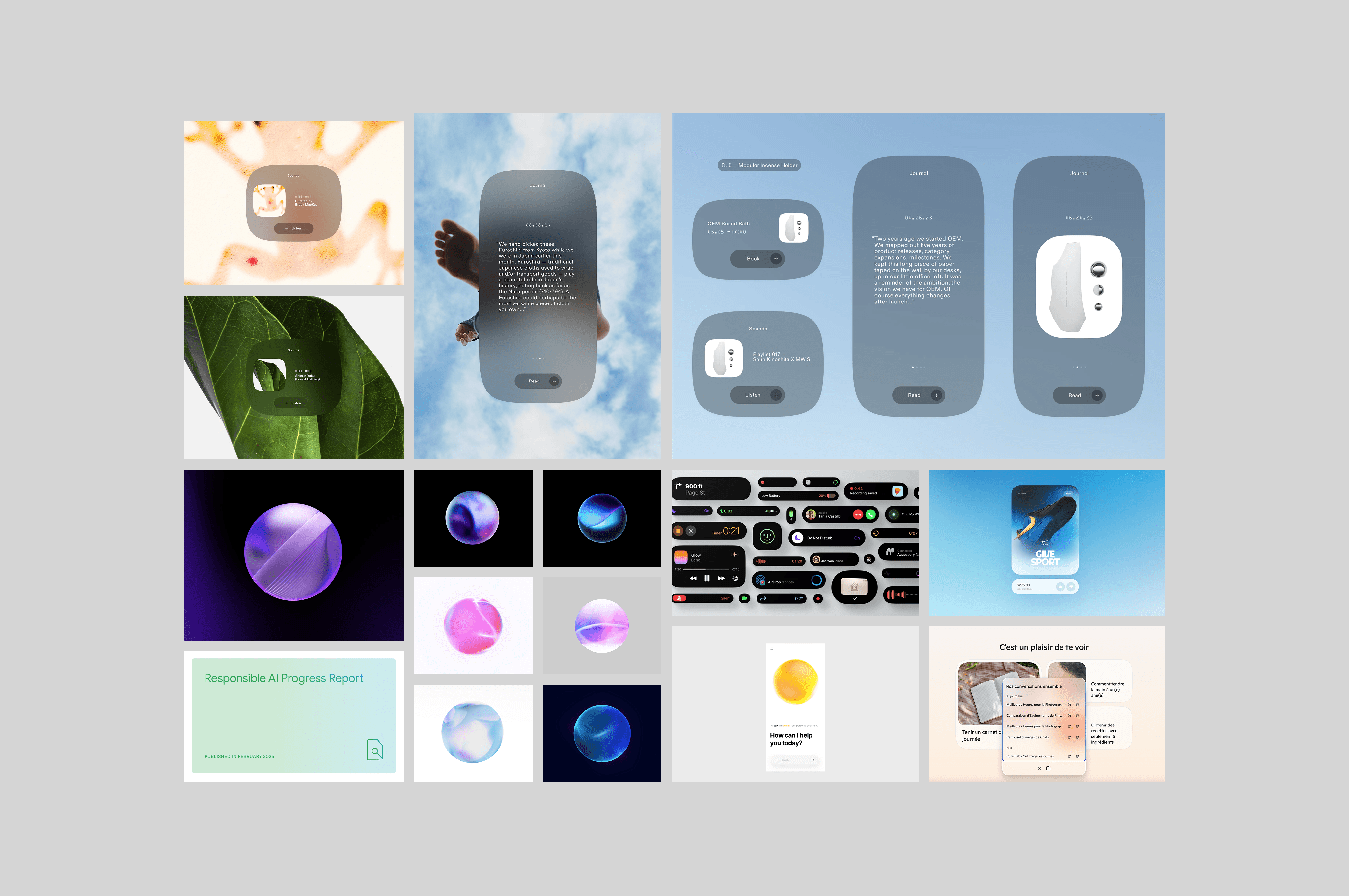
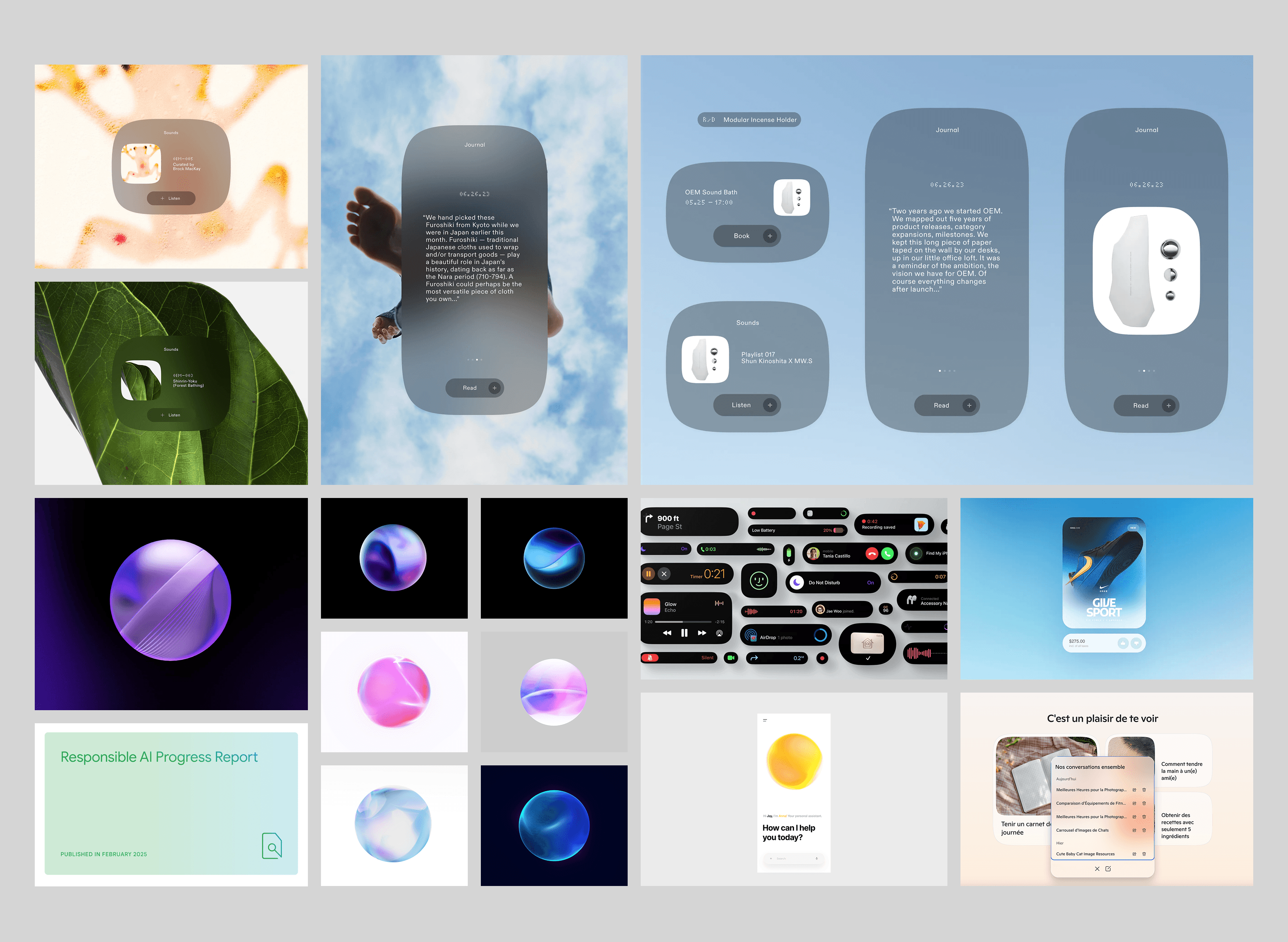
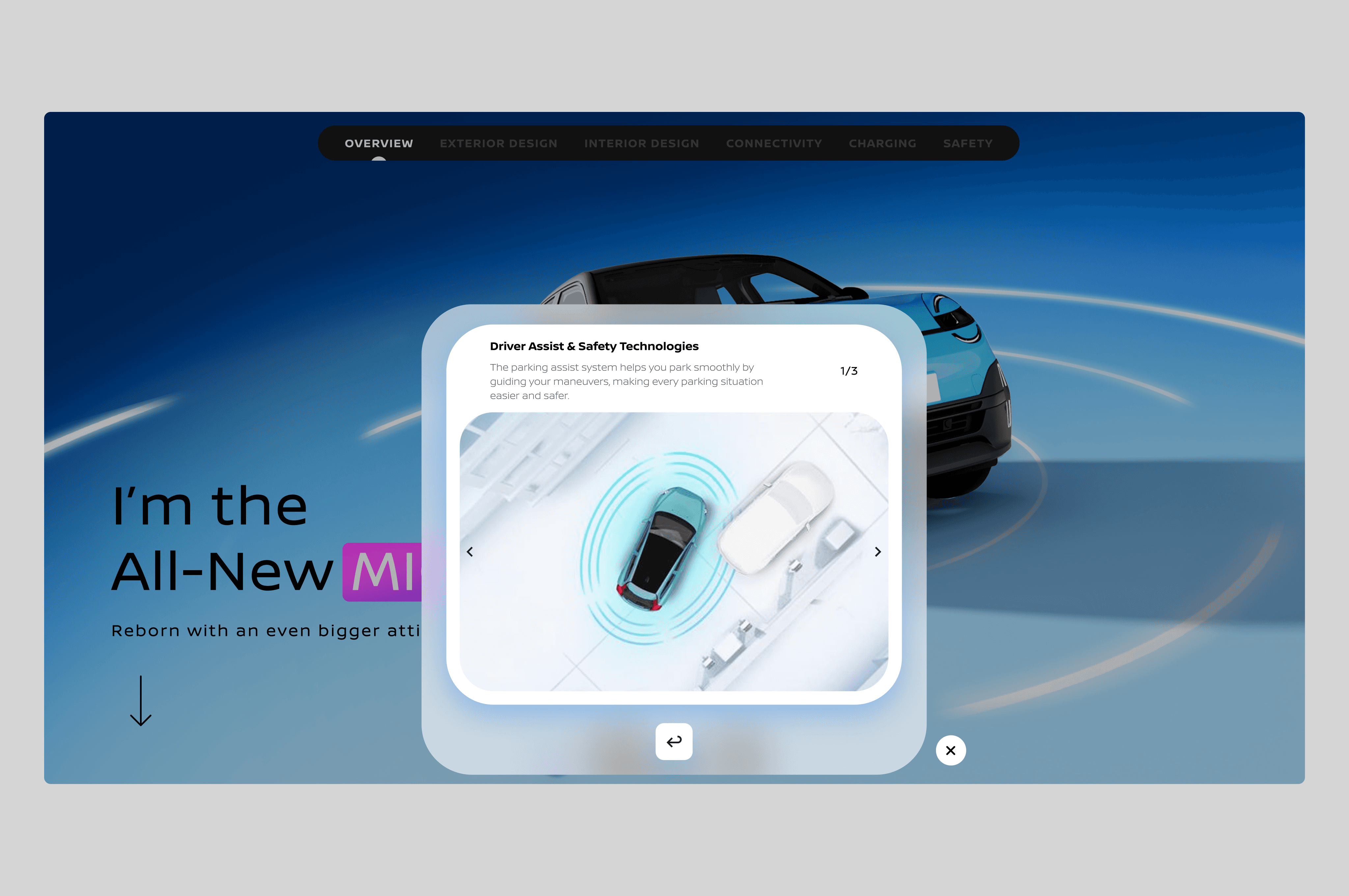
Like we said, we didn't want a generic looking chatbot, so we did a visual moodboard and our creative team dug on a niche style. We explored a glassmorphism aesthetic with frosted glass effects, soft gradients, and translucent layers to give the AI assistant a modern, premium feel. The design features rounded, organic shapes with subtle depth through layering and backdrop blur, creating a sophisticated yet approachable interface that stands out from traditional chatbot UIs.
Research: What do car buyers actually need?
We ran secondary research on automotive retail pain points and analyzed NISSAN's support data to identify common questions:
Technical specs (battery life, charging time, engine power)
Practical concerns (is there an autopilot? does it fit in my garage?)
Financial info (monthly payments, incentives, trade-in)
Availability (when can I test drive? is this color available?)
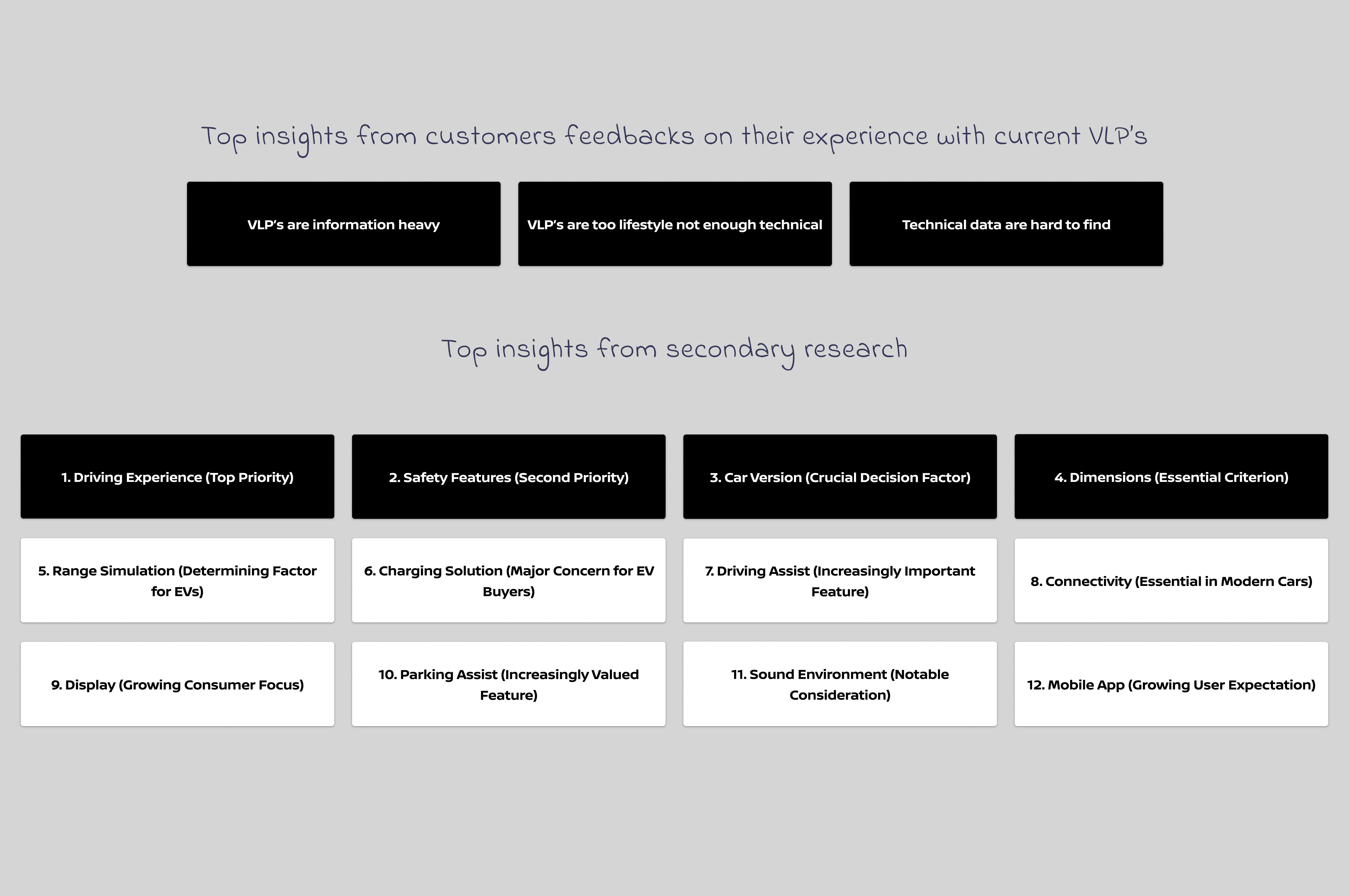
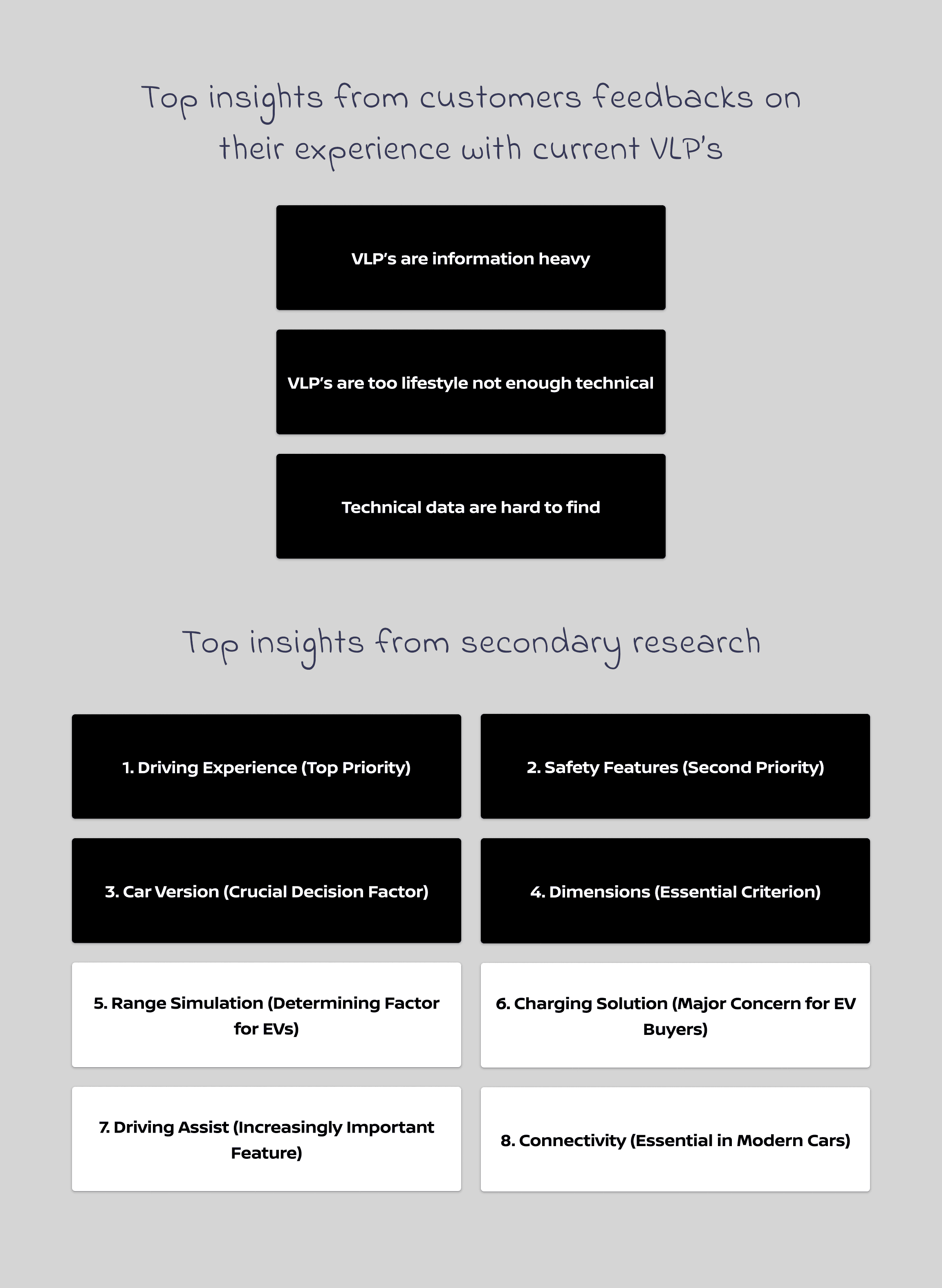
Key insight: Buyers don't just want info — they want reassurance. They're making a major purchase and need confidence at every step.
Prioritization: Impact vs. Effort
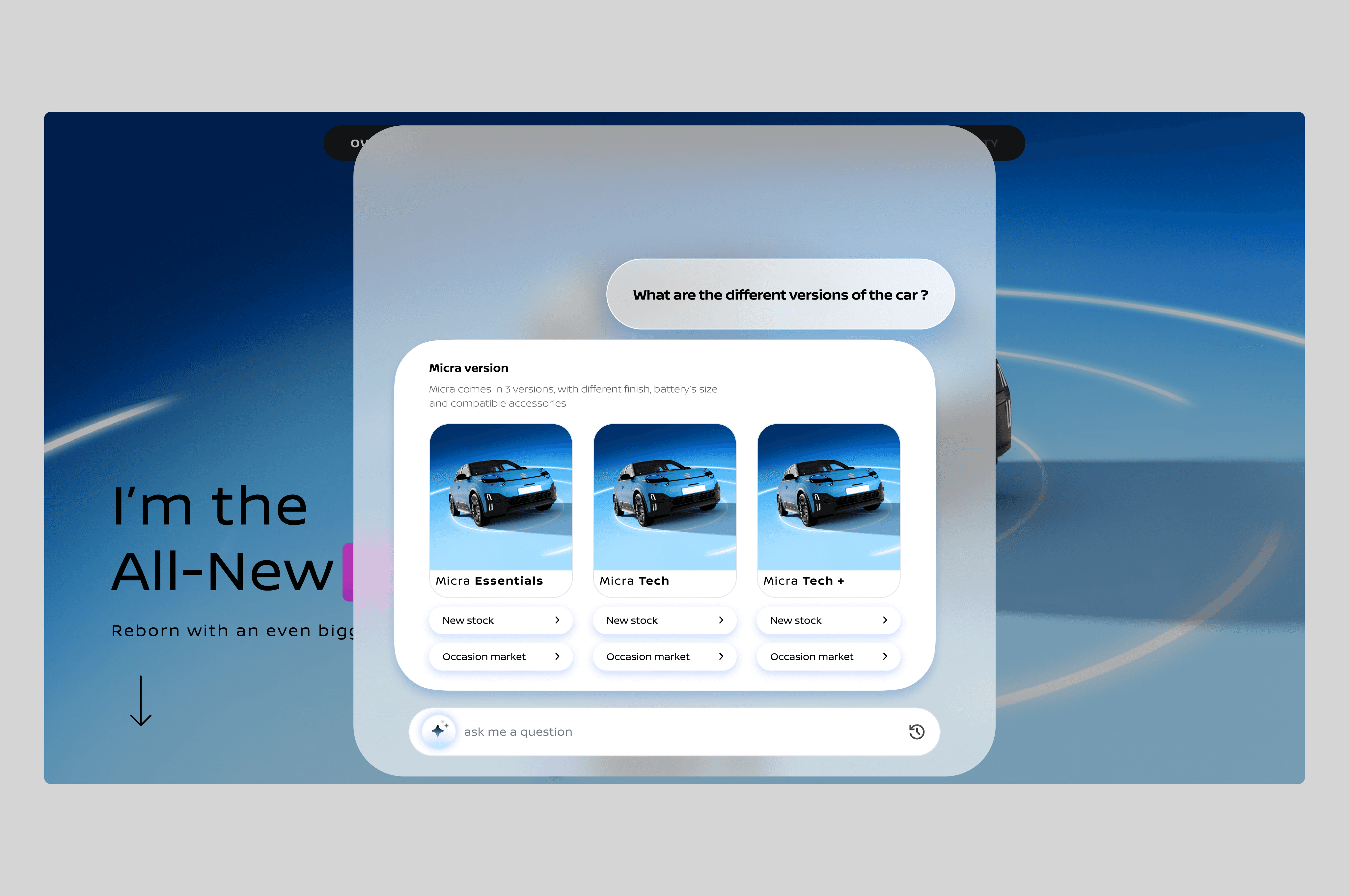
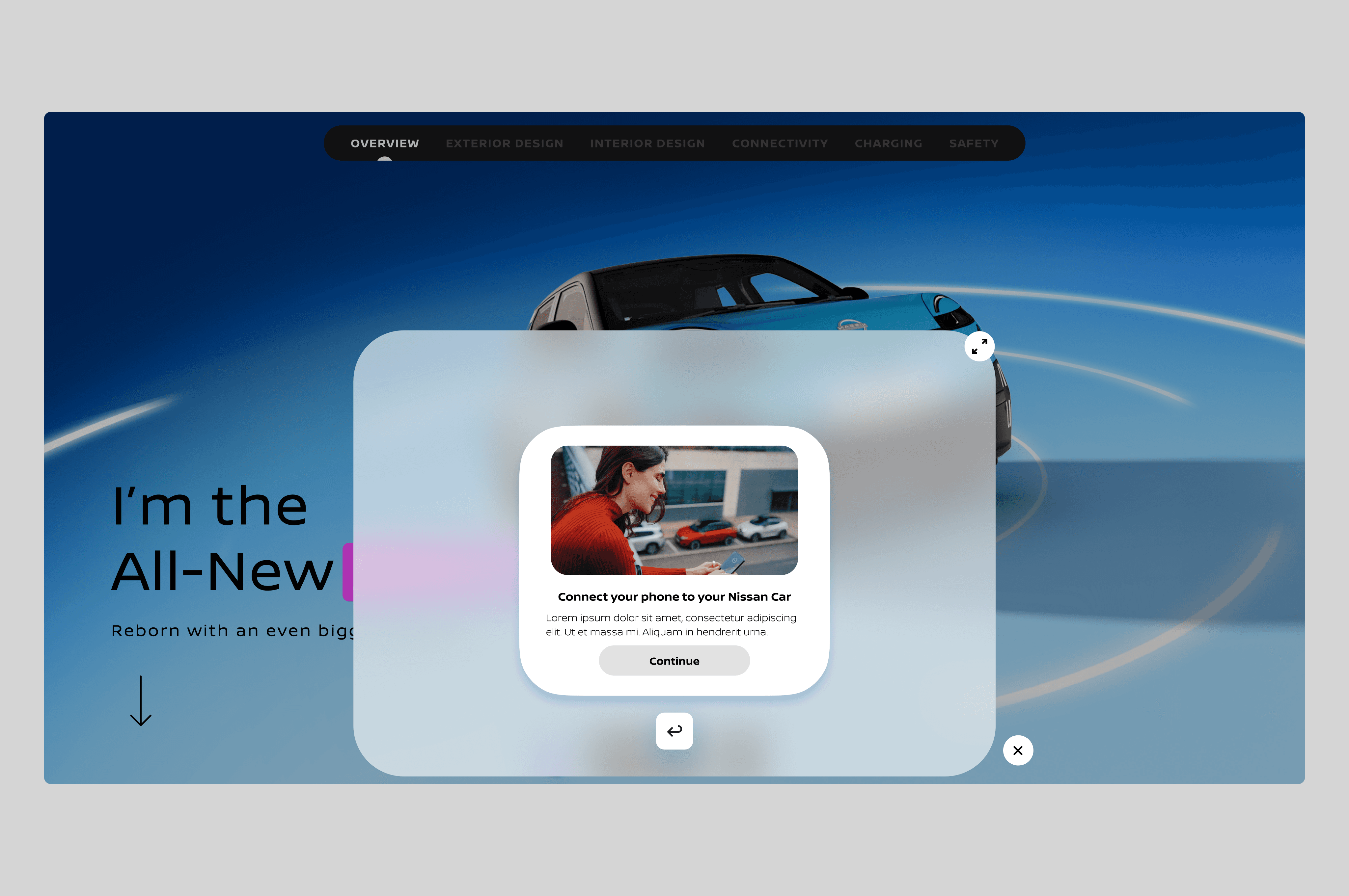
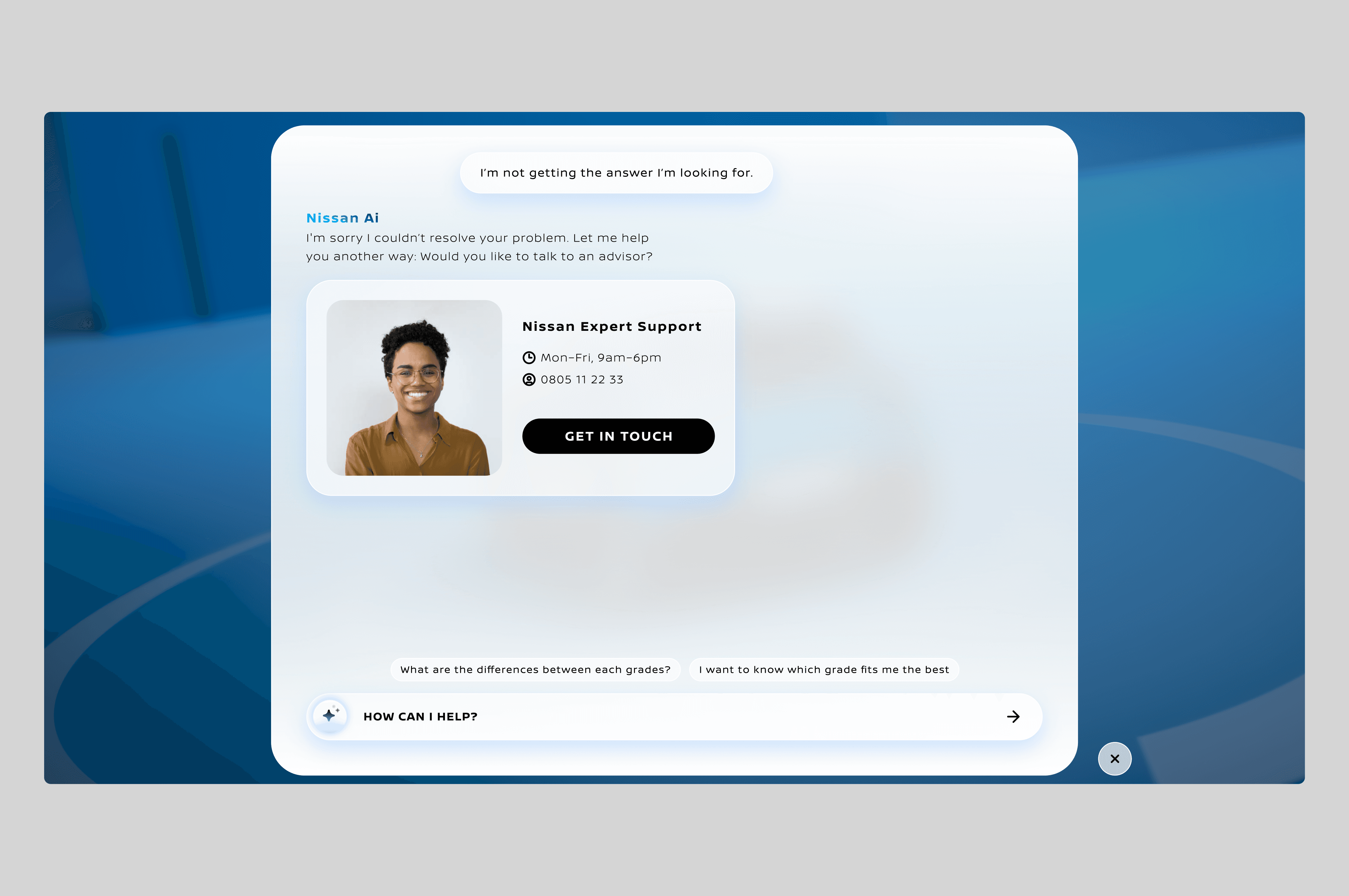
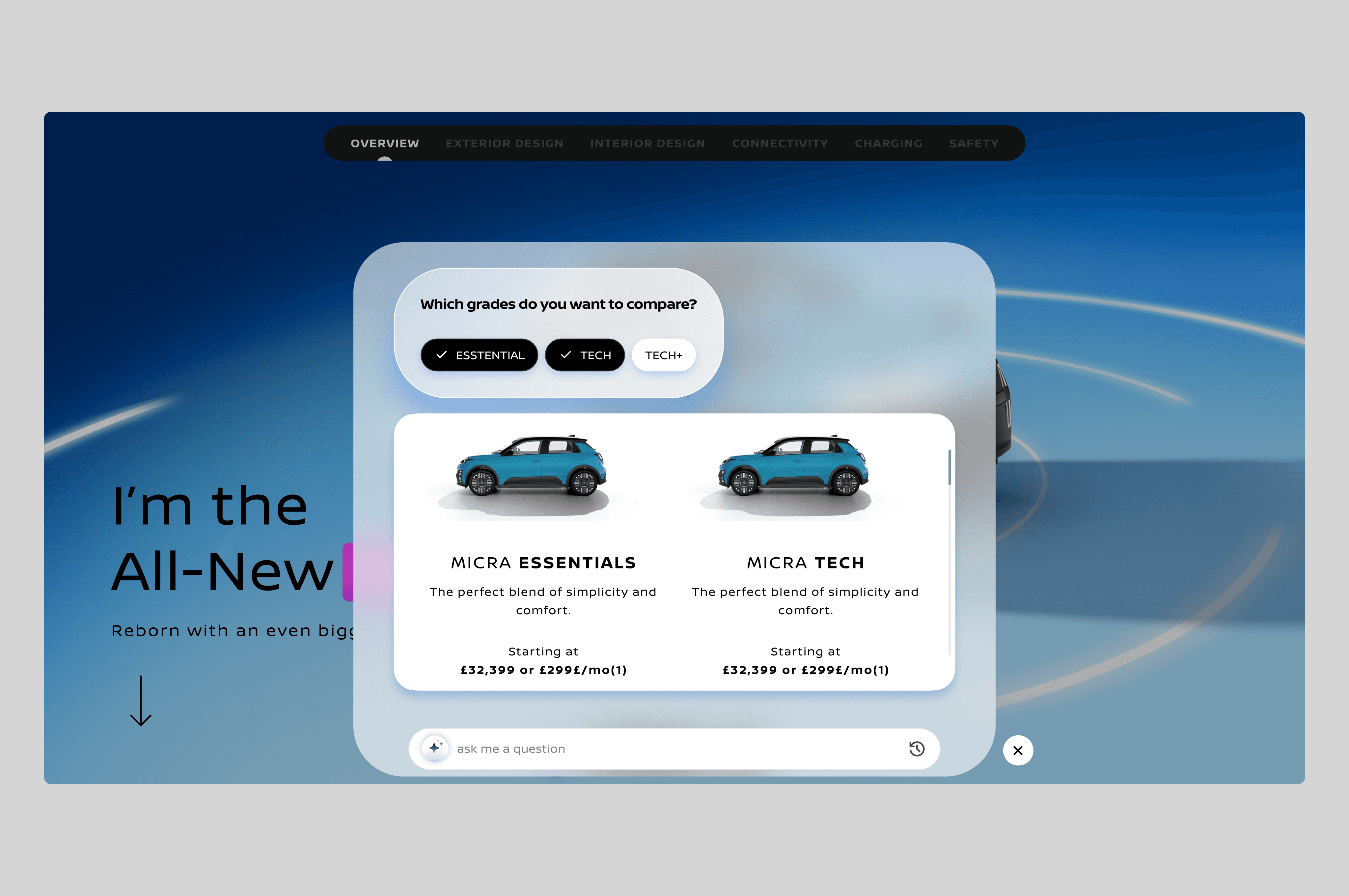
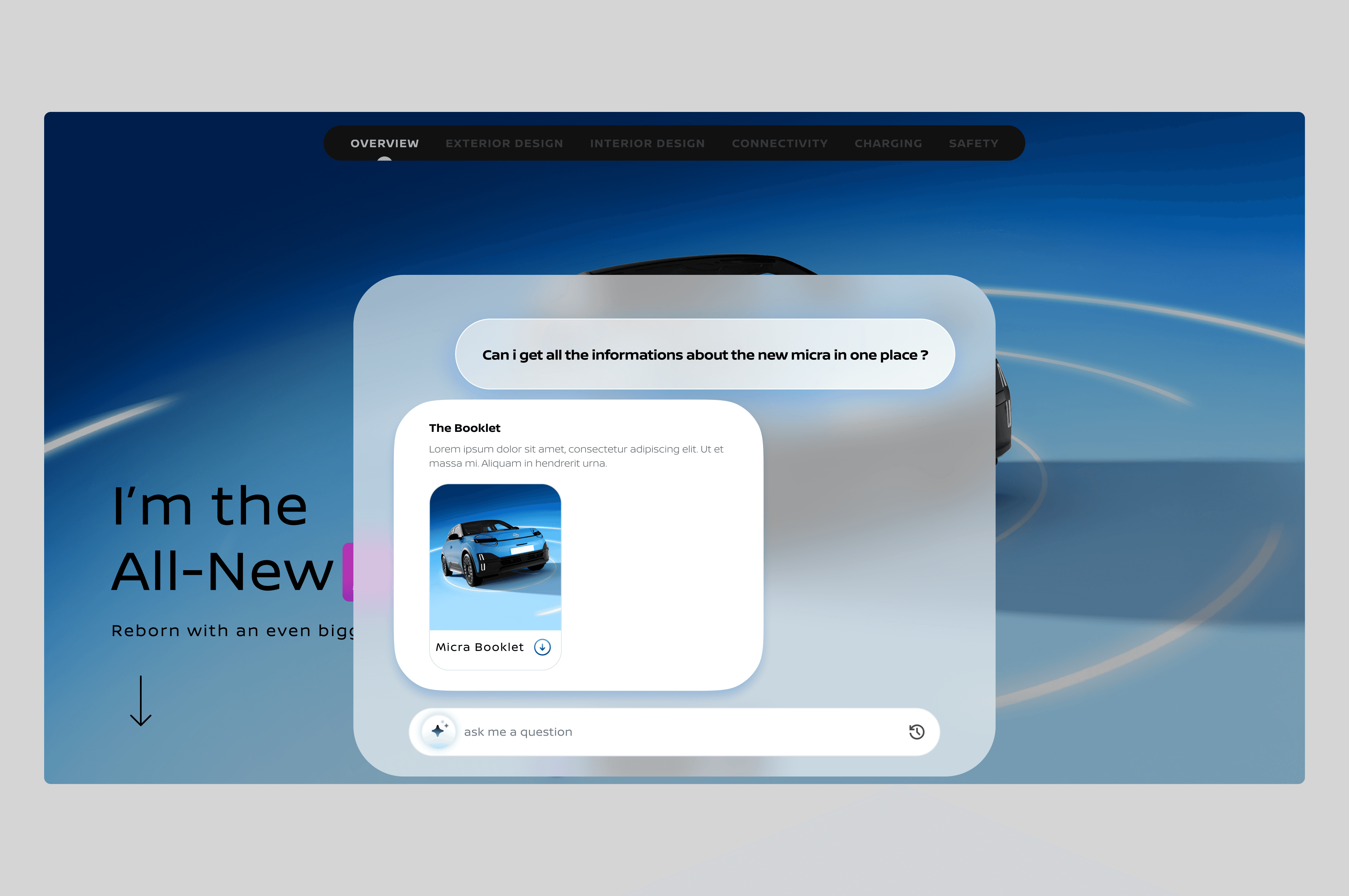
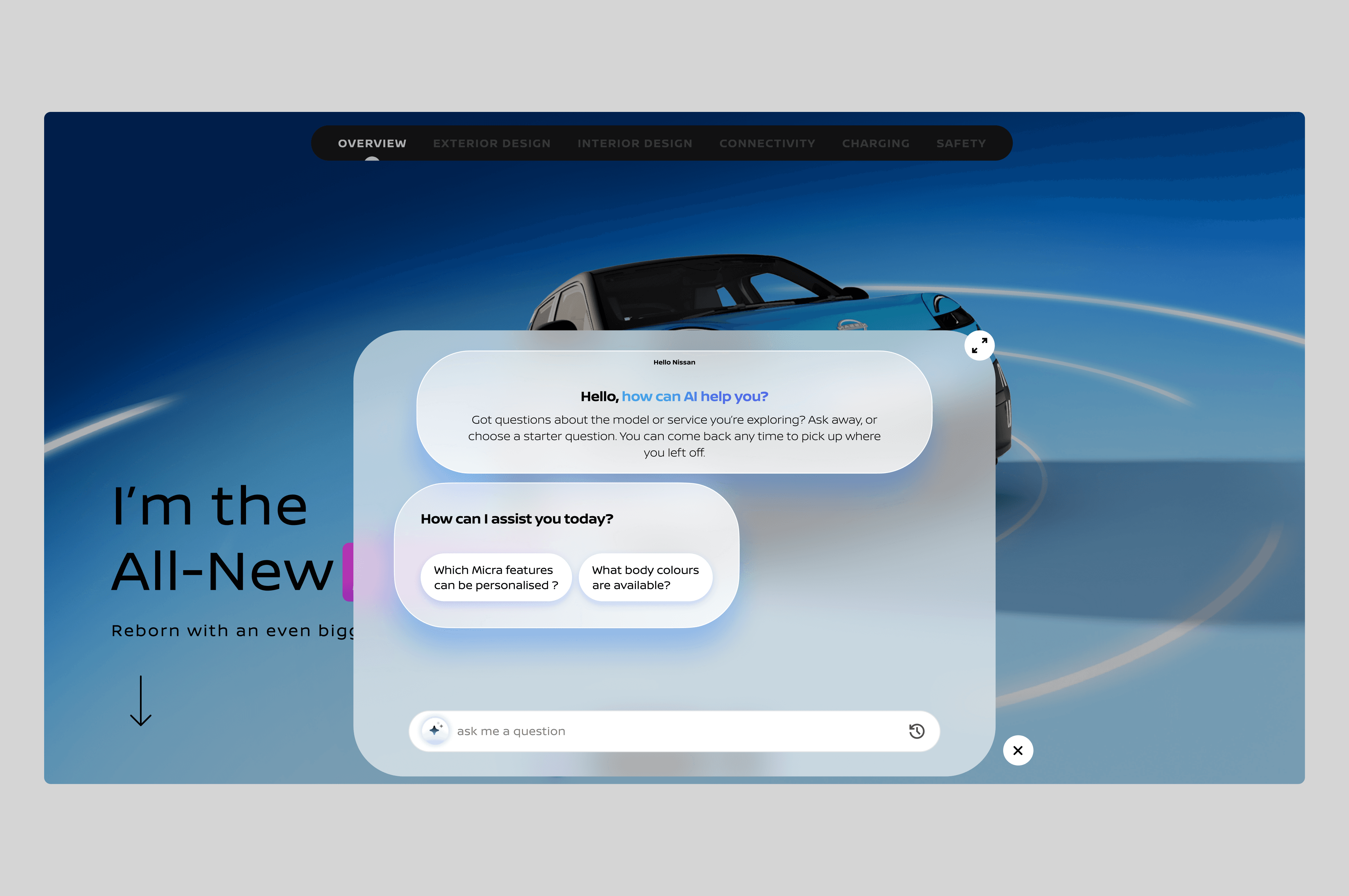
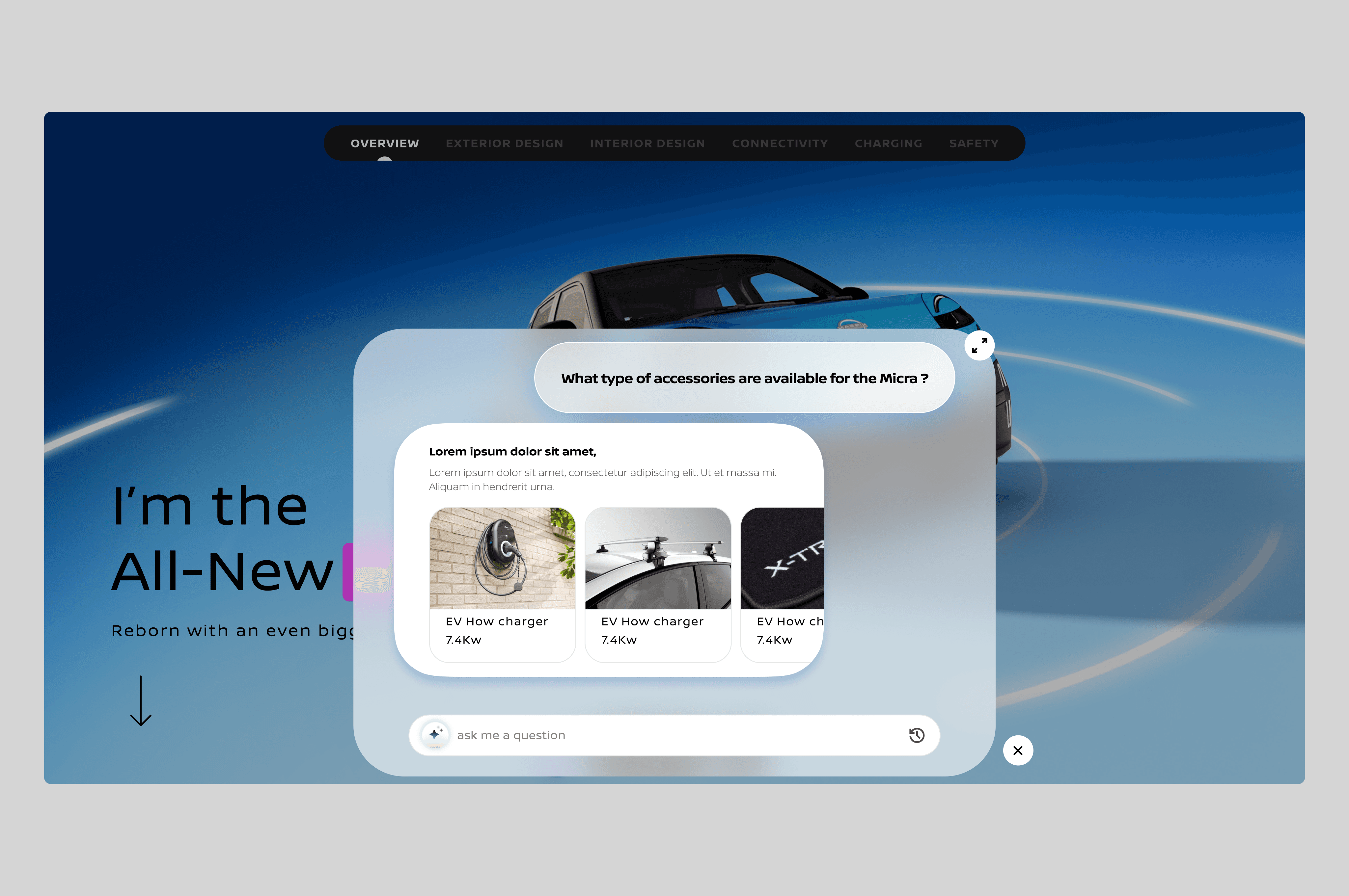
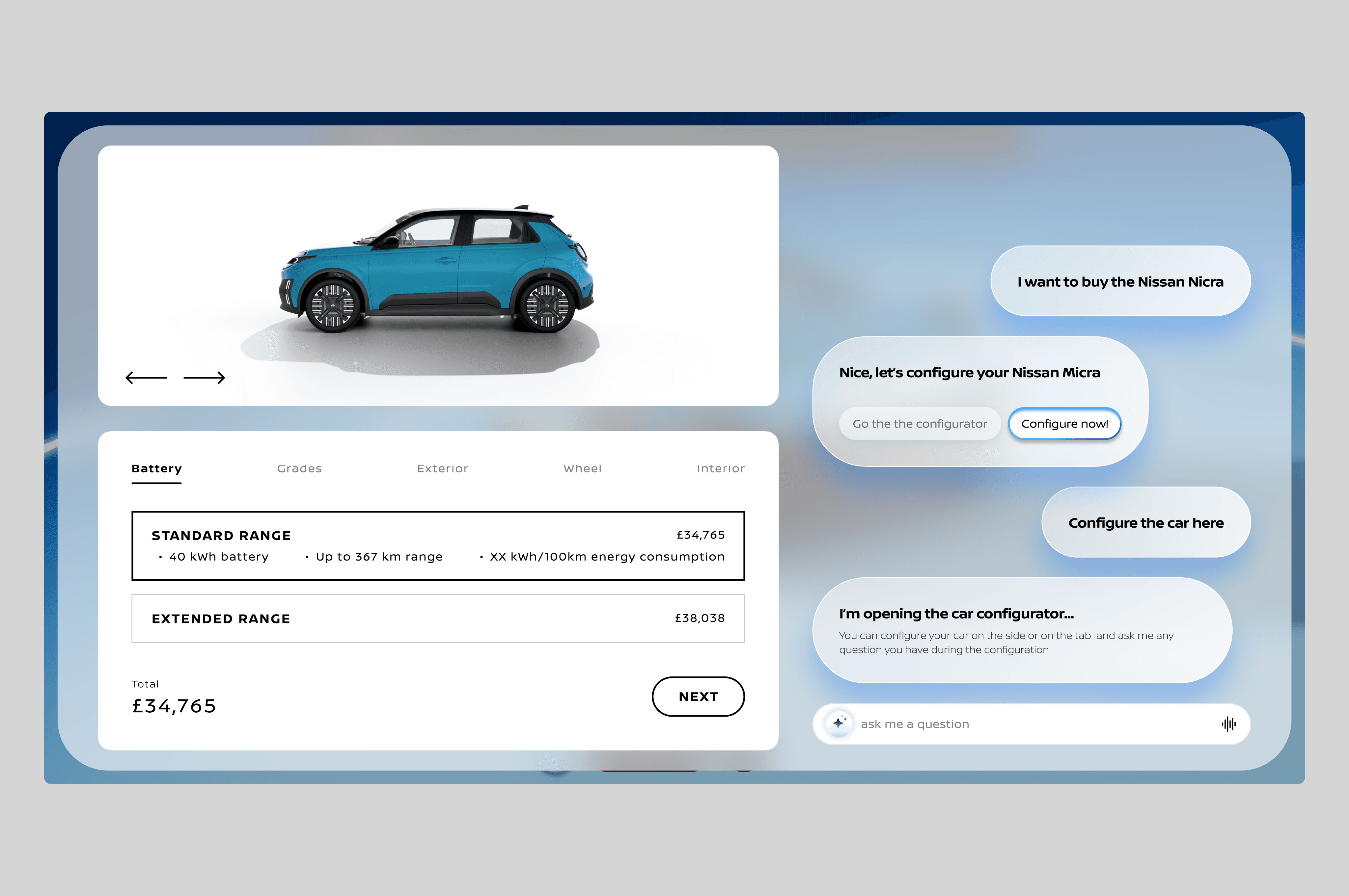
We identified 20 features for the AI assistant, from answering basic specs to booking test drives. To decide what to tackle first, we worked with the dev team to map them on an impact/effort matrix:
User value: How critical is this to the purchase decision?
Business value: Does this move the needle on conversions or engagement?
Dev complexity: Can we ship this in time?
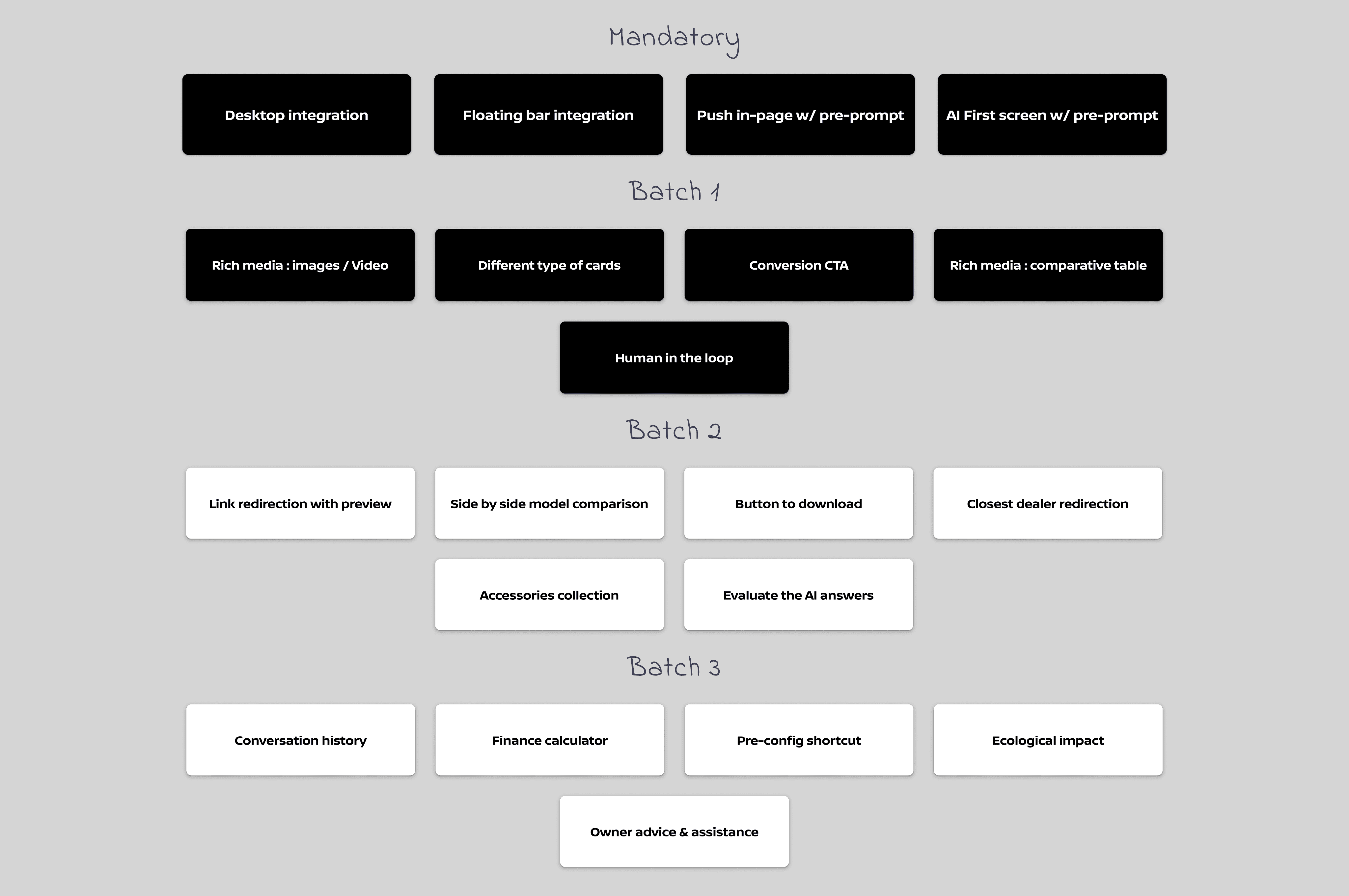
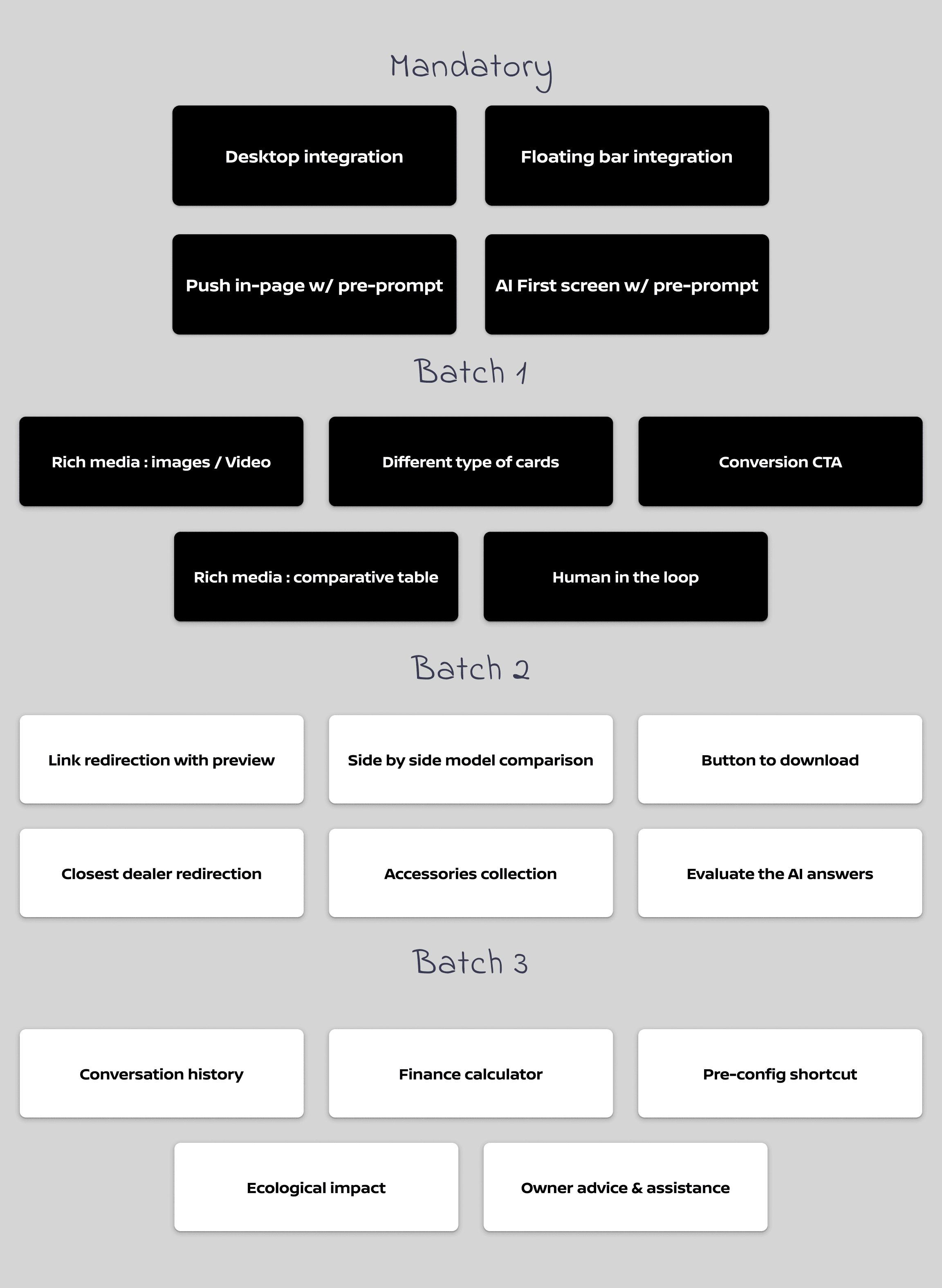
Result: We defined 3 batches, with Batch 1 focusing on the different features that elevate our assistant from the other chatbot from the competition.
Batch 1 might seem modest compared to our early concepts, but that was intentional. This was a pilot to validate market reception before investing in advanced features like personalized recommendations or configurator integration.
The plan: Prove utility and ROI with core features first, then unlock the "wow" capabilities in future phases.
Client Validation: Getting the green light
Before moving into production, we presented our complete vision to NISSAN: the product strategy, creative direction, use case prioritization matrix, and phased roadmap.
The pitch: Start with a focused MVP to validate market reception, then scale to advanced features once we prove ROI.

NISSAN greenlit the approach — they valued seeing the long-term vision while understanding the pragmatic first step.
Content strategy: What to show, where
Once the core UI was validated, we tackled content strategy. But first, we needed to validate a critical assumption: would users even recognize and trust an AI assistant on a car website?
We tested our AI icon and basic interface with 15 people actively researching vehicles.
What we learned: The AI icon was immediately recognizable, and users naturally expected conversational interaction. Contextual prompts helped them understand capabilities, but an important pattern emerged: users wanted to explore the page first, then ask the AI specific questions rather than relying on it from the start.
This validated our strategy of making the AI persistently accessible without being pushy.
Making the AI discoverable without being intrusive
With this validation in hand, we moved to content strategy: how to surface the AI at the right moments without overwhelming users who wanted to explore first.
We explored 3 complementary approaches to surface the AI across the vehicle landing page:
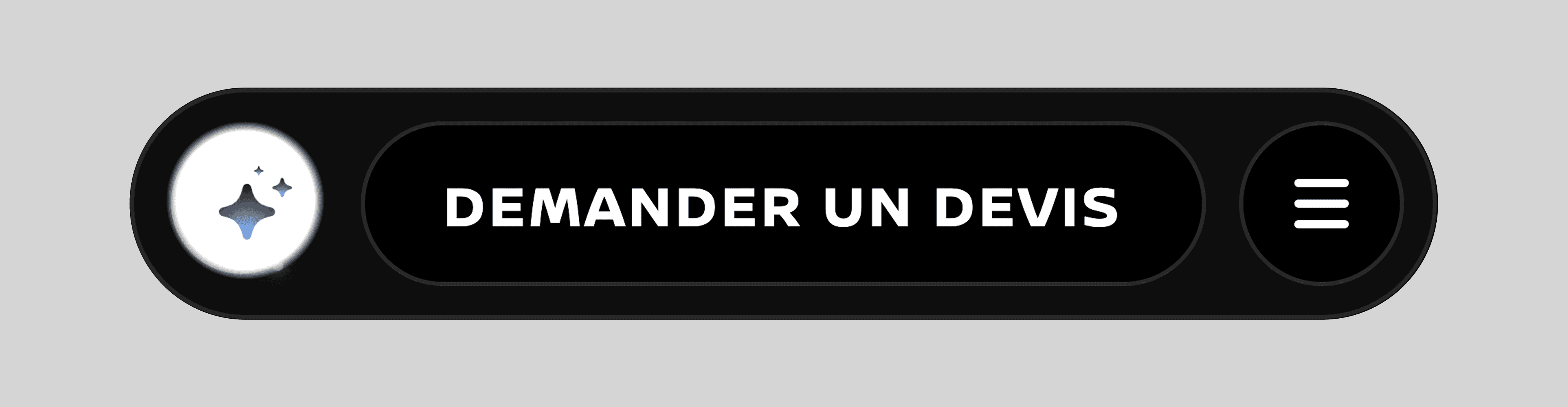
1. AI Bubble
A persistent floating button anchored at the bottom of the screen, always accessible wherever the user is on the VLP.
2. Pre-prompts
Quick-start questions tailored to each vehicle model (e.g., "How long does it take to charge?" for EVs), displayed directly in the AI assistant's welcome screen to help users discover capabilities.
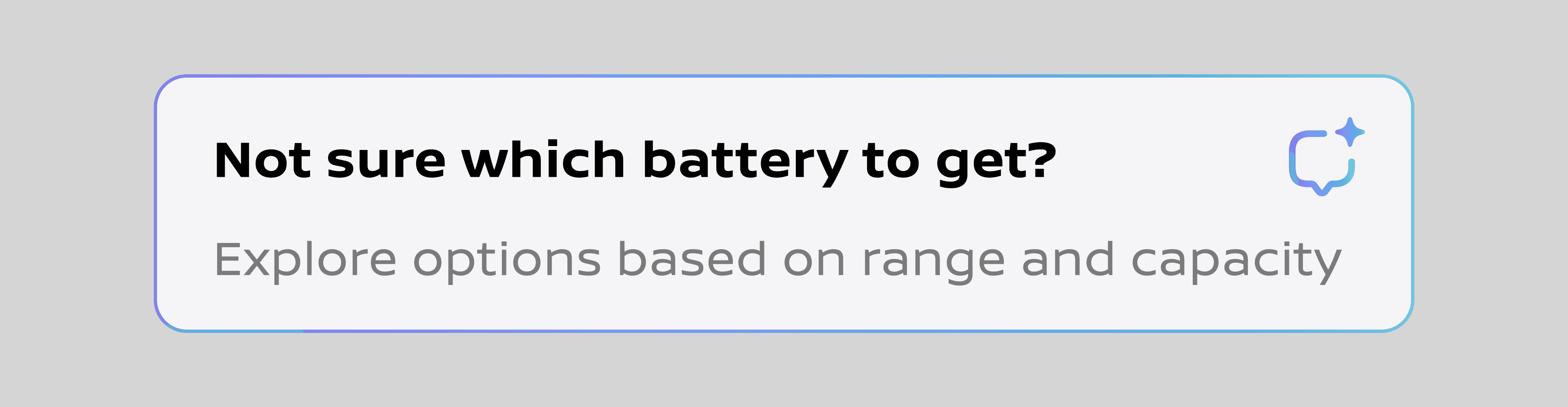
3. In-page integration
We initially explored contextual shortcuts embedded directly within page components — like an "ASK ABOUT THE ENGINE" button overlaid on an engine image.

Challenge: While visually striking, these in-component shortcuts created too many technical constraints and felt disconnected from the page layout. They seemed to "float" awkwardly rather than integrate naturally.
Decision: A versatile in-page component
We abandoned the standalone shortcuts and instead created a modular section that could be placed strategically throughout the VLP. This component adapts its content based on context while maintaining visual consistency:
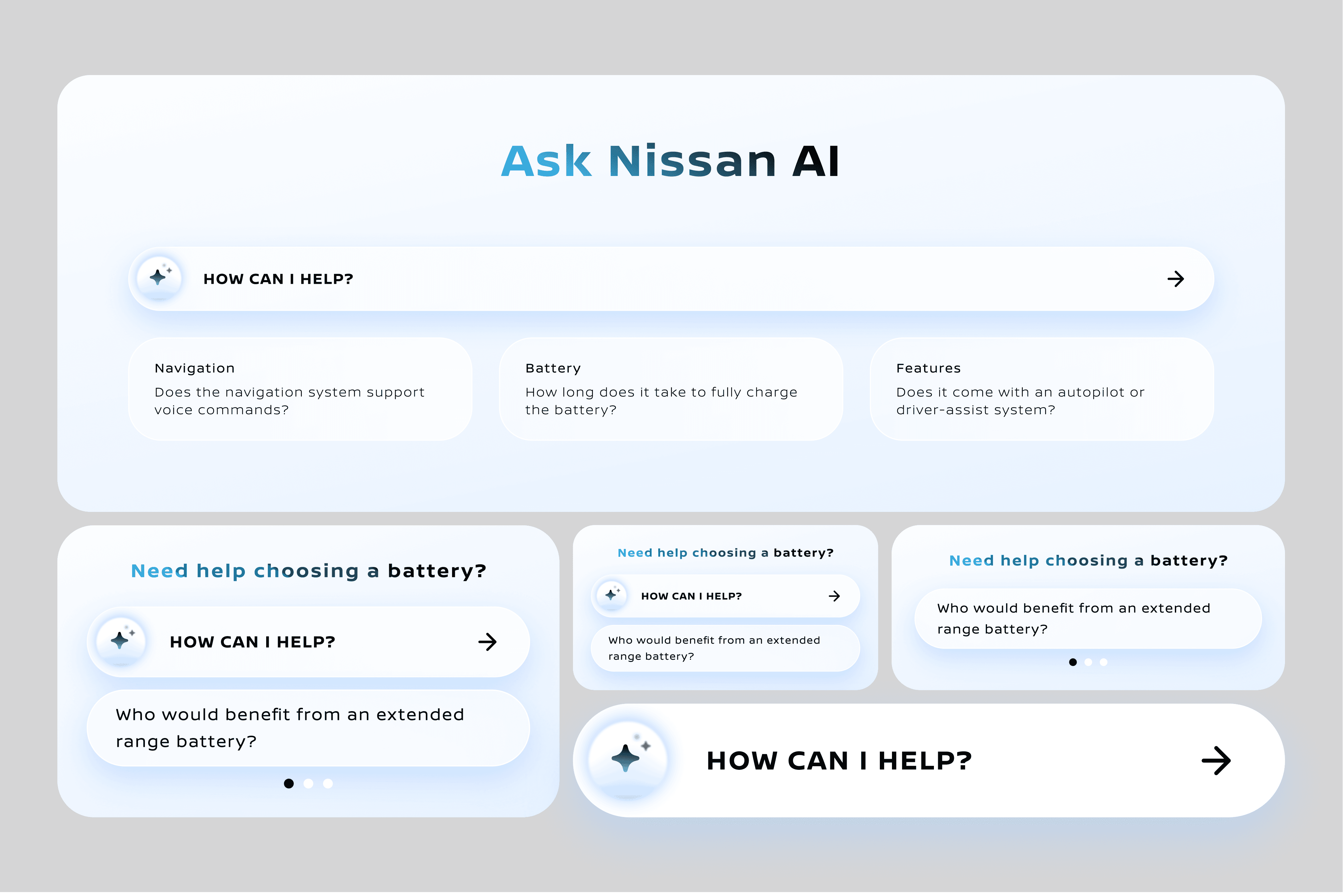
"How can I help?" trigger to open the AI assistant. Contextual pre-prompts relevant to the page section (e.g., battery questions in the specs section, navigation questions near the tech features). Multiple layouts (full-width, condensed, carousel) to fit different page structures
This approach gave us flexibility without the technical overhead of embedding triggers in every individual component. The AI remains discoverable through:
The persistent floating bubble for instant access anytime
Strategic in-page sections that suggest relevant questions at key decision moments
Impact & Early Results
The AI assistant launched on the new Nissan Micra vehicle landing page across EMEA markets in [month/year]. While comprehensive metrics are still being collected, early indicators are promising.
Engagement: Users are actively interacting with the assistant, asking vehicle-specific questions about specs, features, comparisons, and practical concerns like charging times and available configurations.
Qualitative feedback: Users describe the experience as "helpful," "surprisingly accurate," and "faster than calling the dealership."
Next steps: We're tracking engagement rates and conversion impact to inform the expansion to additional vehicle models and markets based on pilot learnings.
See it in action
The AI assistant is now live on the Nissan Micra vehicle landing page in France.
What I learned
Test affordance early
Our first user test validated that the AI concept was intuitive — but also revealed trust issues we hadn't anticipated. Catching this early let us design solutions before dev started.
Simplify, then simplify again
We started with 3 integration patterns and cut it to 1. Less is more, especially when introducing something new.
Think systems, not features
Creating multiple complementary touchpoints (floating bubble + in-page sections) forced us to think holistically about how users discover and use the AI throughout their journey.
Prioritization is a design skill
The impact/effort matrix wasn't just a PM tool — it shaped our design decisions and helped us say no to features that would've diluted the experience.
If I could do it again
Earlier quantitative testing
We relied heavily on qualitative insights. A/B testing different entry points could have optimized engagement faster.
Deeper personalization
The AI could remember user preferences across sessions (EV vs. hybrid interest, budget range) to provide even more tailored answers.
Voice of the customer
We used secondary research, but direct interviews with recent Nissan buyers would have surfaced more nuanced needs and pain points.